An AI game prototype input forgiveness test checks whether the game accepts normal human timing mistakes before you spend time on polish. Test coyote time, input buffering, acceleration, and jump windows in a bare room, then keep the version that feels fair without feeling automatic.
A lot of AI prototypes look playable before they feel playable. The character moves. The jump works. The enemy collides. Then a real player misses a ledge by one frame, presses jump a hair early, or releases a key during a turn and decides the game is sloppy.
That is not a polish problem. It is an input contract problem. If the game only responds to perfect timing, your prototype is testing the player against the engine clock instead of testing the design idea.
This is a practical workflow article for builders using AI-assisted game tools and traditional engines. It focuses on early control-feel testing for 2D prototypes, with references to common input concepts in Godot and Unity documentation.
Chatforce
An AI game studio that can turn a small 2D control-feel test into a browser-playable draft quickly.
Godot
A good fit when you want direct control over input events, movement code, collision, and per-frame tuning.
Unity
A production engine with an Input System that supports interactions, timing, and action-based control handling.
GDevelop
A visual builder that works well for readable movement experiments when the prototype logic is still simple.
The Test Is Not Whether the Button Works
A button working means the game receives input. Input forgiveness asks a better question: when the player makes the decision at the right time but hits the button slightly outside the exact frame, does the game still understand the intent?
This matters most in prototypes built with AI because generated movement often defaults to literal timing. It can be technically correct and still feel brittle. You need a small test that separates design tension from control friction.
A fair prototype does not require frame-perfect proof that the player meant to jump.
Four Forgiveness Settings to Test
| Setting | What it fixes | Bad sign |
|---|---|---|
| Coyote time | The player jumps just after leaving a platform edge | Missed jumps feel random or stingy |
| Input buffer | The player presses jump just before landing | The game ignores a reasonable early press |
| Acceleration curve | The character starts, stops, and turns with readable weight | Movement feels either icy or dead |
| Variable jump window | Short and long presses create distinct jump heights | Every jump height feels the same or too hard to control |
Use a Bare Room and One Obstacle
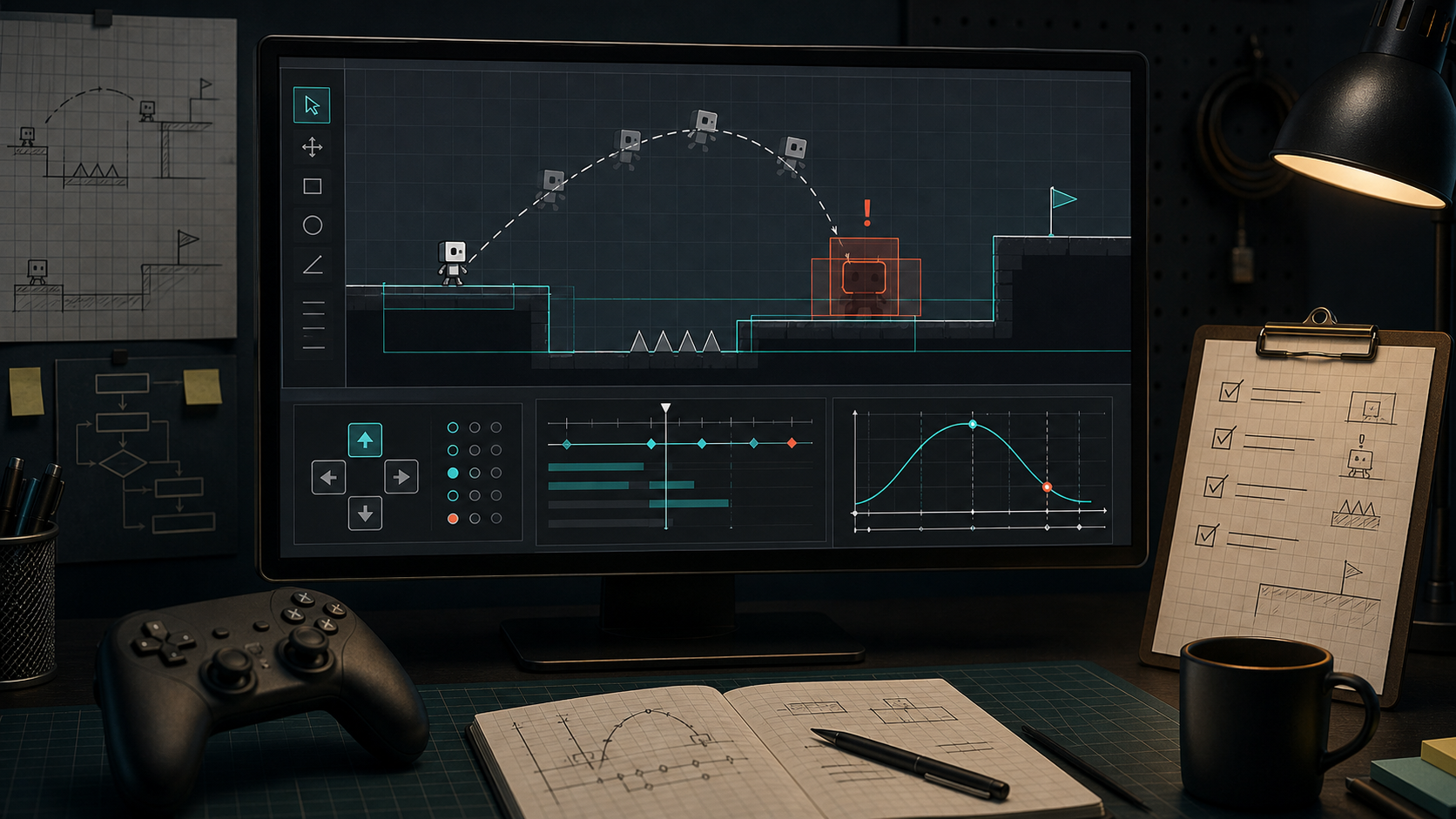
Do not test input forgiveness inside a full level. Use a flat start, one gap, one platform, and a reset. If the player misses, they should know whether the issue was timing, speed, jump height, or collision. Decorative art and multiple hazards make that diagnosis slower.
Ask the AI for variants with exact constraints. Keep the room, player speed, gravity, and obstacle placement unchanged. Change one forgiveness setting at a time. That gives you a clean comparison instead of a pile of plausible movement scripts.
Weak Prompt vs Control Lab Prompt
| Goal | Weak prompt | Better prompt |
|---|---|---|
| Fix jumping | Make the jump feel better | Keep the room identical and add 100 ms of coyote time after leaving a platform edge |
| Catch early input | Make controls smoother | Add a 120 ms jump input buffer before landing, with no change to gravity or jump height |
| Tune movement | Make movement less slippery | Create three acceleration variants: instant, medium, and heavy, then label them in code comments |
| Compare feel | Improve the platformer controls | Generate two builds with only coyote time changed: 0 ms and 100 ms |
Where Chatforce Fits
Chatforce is useful when you want the control test in a browser-playable form quickly. A small arcade example like Cursor Keepy-Uppies is the kind of simple control-feel page worth opening before you overbuild a test harness. Godot or Unity still make sense when you need exact instrumentation, custom physics, or a production movement stack.
Use Chatforce
You need a fast 2D browser-playable draft to feel whether the control idea is worth more work.
Early control tests, shareable feedback links, and prompt-to-playable validation.Use Godot
You want lightweight engine control over movement scripts, collision layers, and scene-level iteration.
Tight 2D platformers, arcade prototypes, and open-source production paths.Use Unity
You need a larger production pipeline, action maps, device coverage, or custom input interactions.
Longer projects, multi-device control schemes, and deeper tooling.- The player can jump within a small window after leaving a ledge.
- The game can remember a jump pressed slightly before landing.
- Acceleration and deceleration are tested as separate variants.
- Collision boxes match what the player thinks they touched.
- The same obstacle is used across every variant.
- A second player can describe which version feels fairer.
Polish comes after trust. If the prototype drops reasonable inputs, better art will only make the unfairness look more finished.
FAQ
What is input forgiveness in a game prototype?
Input forgiveness is the set of small timing allowances that let a game understand reasonable player intent, such as coyote time after leaving a ledge or a jump buffer before landing.
How much coyote time should an AI prototype test?
Start with no coyote time, then test a small window around 80 to 120 ms. The exact number matters less than comparing the same obstacle with only that setting changed.
When should I move this test into Godot or Unity?
Move it into an engine when the control feel is promising and you need exact physics, device input, native builds, or production-level debugging.